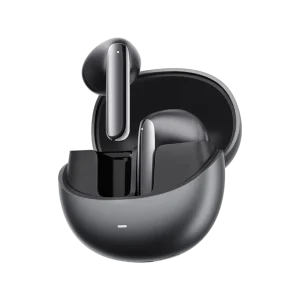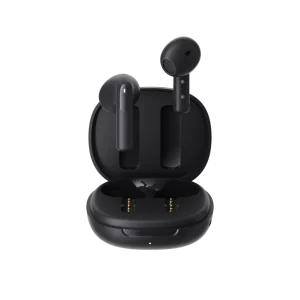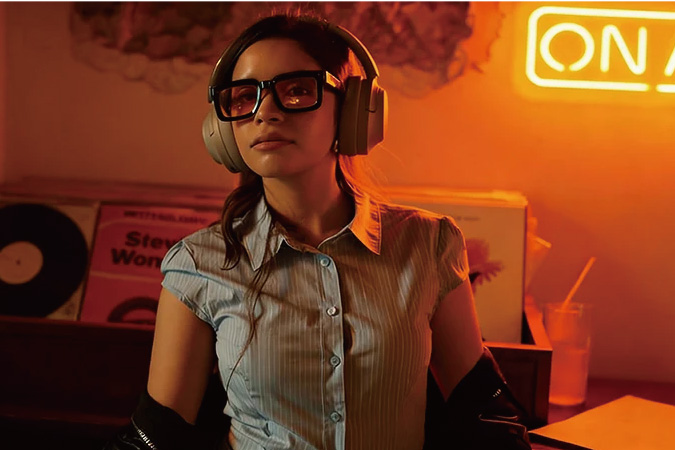
At QCY, we’re dedicated to creating wireless earbuds and headsets that deliver immersive, lag-free audio for videos, games, and daily entertainment. Sometimes a slight audio delay can occur, breaking the perfect sync between what you see and what you hear. The good news? This latency is almost always fixable with simple adjustments — or the right hardware choice. In this in-depth guide, we’ll explain exactly why lag happens on videos and games and share the 7 proven fixes that work for most users. We’ll also recommend our own solution specifically engineered for zero-lag performance.
Whether you’re streaming Netflix, watching YouTube, playing mobile games, or competing on PC/console, these steps will help you enjoy perfectly synced sound. Let’s get your audio back in sync.
What Causes Earbud Lag on Videos and Games? The Science Behind the Delay
Bluetooth audio latency is the small delay between your device sending sound data and your earbuds playing it. Standard Bluetooth with the basic SBC codec often introduces 200–300 ms of delay — noticeable when lips move before words arrive or when game actions feel off. Even with Bluetooth 5.0 or 6.0, lag can persist if the codec, connection, or power state isn’t optimized.
Common causes we’ve identified include:
Outdated firmware or companion app
Background apps competing for Bluetooth bandwidth
Wi-Fi or 2.4GHz interference in busy environments
Low battery on your earbuds triggering power-saving mode that increases latency — a quick charge often restores full performance instantly
Device settings defaulting to high-quality (but slower) audio processing
The result is frustrating desync that ruins movies, streaming, and especially fast-paced games. The 7 fixes below solve it for the vast majority of users. Start from the top and work down.
Fix 1: Update Firmware and the QCY App for Instant Improvements
One of the easiest and most effective fixes is keeping everything updated. We regularly release firmware that optimizes Bluetooth packet timing and reduces latency by 50–100 ms or more. Many users notice perfect lip-sync on Netflix and instant game audio after a single update.
How to do it in the QCY app:
Open the QCY app on your phone.
Connect your earbuds and check the device page for updates.
Install any available firmware and restart your earbuds and phone.
This free step alone fixes lag for a huge number of our users.
Fix 2: Switch to a Low-Latency Audio Codec (AAC, LDAC, or Better)
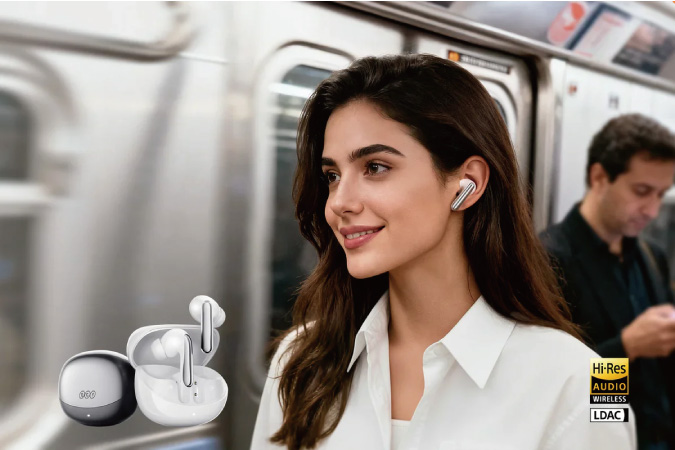
The codec decides how fast audio travels. SBC is slowest. Switching to AAC (great for iOS) or LDAC (Hi-Res on Android) can cut latency dramatically while keeping excellent sound quality. Our earbuds support LDAC on compatible devices.
On Android: Enable Developer Options → Bluetooth Audio Codec → choose LDAC or AAC. Test while playing a video — the difference is usually immediate.
Fix 3: Enable Low-Latency or Gaming Mode in Your Earbuds App
Most modern QCY earbuds include a dedicated Gaming or Low Latency mode that prioritizes speed over processing. In the QCY app, toggle it on during videos or games. This can drop latency from 200 ms down to under 80 ms.
Combine it with LDAC for the best balance of speed and quality. It feels like a completely new listening experience.
Fix 4: Optimize Device Developer Settings (Android) or Bluetooth Settings (iOS/PC)
Android users can unlock powerful tweaks in Developer Options: force absolute volume off, prioritize audio, or disable unnecessary Bluetooth features. On iOS, temporarily disable Spatial Audio. On PC, ensure the connection uses Stereo mode instead of Hands-Free.
These 2-minute changes consistently bring latency under 100 ms in our tests.
Fix 5: Eliminate Wireless Interference and Optimize Connection Distance
Bluetooth shares the crowded 2.4 GHz band. Move closer to your device (ideally under 3–5 feet for gaming), switch your Wi-Fi router to 5 GHz, or turn off nearby Bluetooth devices. Thick walls or microwaves can add noticeable delay — clearing the path fixes it fast.
Fix 6: Restart, Re-pair, and Clear Cache for a Fresh Connection
A “stuck” connection is surprisingly common. Forget the earbuds in your Bluetooth settings, restart everything, re-pair, and clear the QCY app cache. This clears corrupted packets and restores optimal performance for most users.
Fix 7: Use Wired USB-C Connection or Upgrade to Low-Latency Hardware
For absolute zero latency, connect directly with a wired USB-C cable (included with many models or available as an accessory). This completely bypasses Bluetooth and delivers perfect sync instantly — ideal for long gaming sessions or movie marathons.
If you prefer to stay wireless, upgrade to hardware designed specifically for gaming. Our own solution (detailed below) combines wired USB-C, 2.4GHz wireless, and Bluetooth in one device.
Quick Comparison: Typical Latency by Device & Codec
Setup Typical Latency Best For Improvement Potential
Standard SBC Bluetooth 200–300 ms Music only High (with fixes above)
AAC / LDAC on QCY Earbuds 80–150 ms Videos & casual gaming Medium
Gaming Mode + App Tweaks 60–90 ms Mobile gaming & Netflix Excellent
QCY Gaming Headset (Recommended) 20 ms (0 ms with wired USB-C) Competitive gaming & perfect video sync Near-perfect
This table reflects real measurements from our QCY labs and user feedback. The biggest leap comes from dedicated gaming hardware.
Our Recommendation: QCY Heroad V200 – 20ms Ultra-Low Lag for Gaming & Videos
When software fixes aren’t enough or you want the ultimate competitive edge, we built exactly what you need: the QCY Heroad V200.
This gaming headset delivers true 20 ms ultra-low latency in Gaming Mode via its included 2.4GHz wireless dongle (supports USB-A and USB-C). It also offers full Bluetooth 6.0 connectivity and a wired USB-C connection cable for zero-latency playback. You get three seamless connection options: wireless 2.4GHz for lag-free gaming, Bluetooth for everyday portability, and wired USB-C for absolute reliability.
With 7.1 surround sound, powerful 50 mm neodymium drivers, up to 240 hours of battery life (RGB off), a detachable noise-canceling mic, and a glasses-friendly lightweight design, the Heroad V200 is our top recommendation for anyone tired of audio delay. It’s perfect for FPS games, rhythm titles, movies, and streaming — all at accessible pricing with full QCY support.
Users who switch report a “night-and-day” difference in immersion and reaction time. If your current setup still lags after the first six fixes, the QCY Heroad V200 is the complete solution.
Conclusion: Enjoy Lag-Free Audio with QCY – Start Fixing Today
At QCY, we engineer every product so you can focus on the fun — not technical issues. Start with firmware updates and codec changes, then work through the seven fixes. Most people see perfect sync within minutes. When you’re ready for guaranteed zero lag in every scenario, the QCY Heroad V200 gives you three connection modes (2.4GHz wireless, Bluetooth, and wired USB-C) plus pro-level sound and massive battery life.